tags attribute. For more information, see the catalog specification.
Image tag prioritization
In the Default settings section of the Settings tab in the Experience app, you can set the desired image prioritization order with the imported tags. It is possible to override the default image prioritization order for individual product lists on a specific page, see List settings .Only tags that are currently available in the catalog can be selected. If a tag is removed from the catalog, it will also be removed from the app.
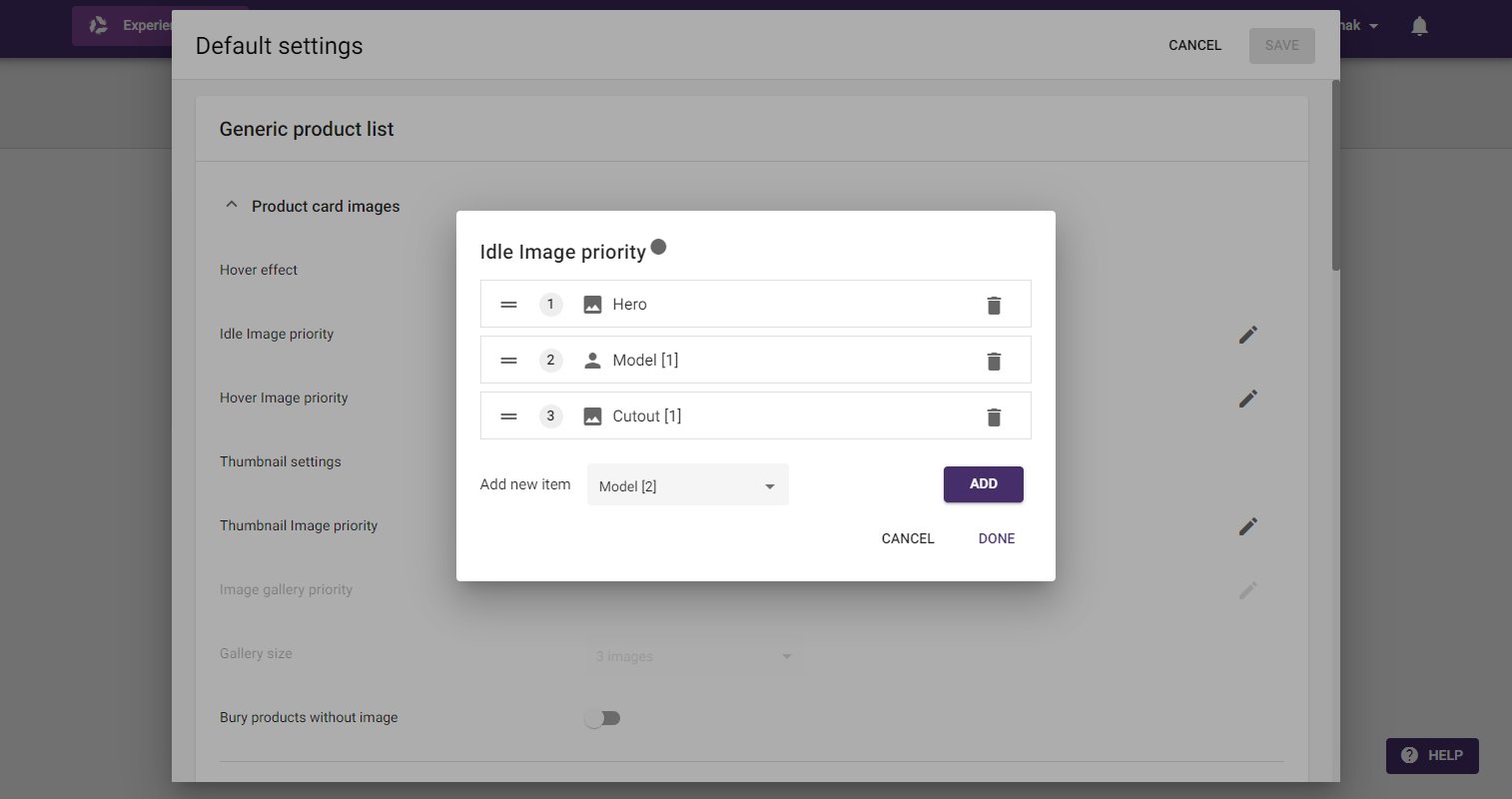
Hero, which is then set as the first prioritized image. Only the images with that same tag will show that image type, while the other images will rely on the next prioritized type.