> ## Documentation Index
> Fetch the complete documentation index at: https://product-discovery.developer.voyado.com/llms.txt
> Use this file to discover all available pages before exploring further.
# Recommendation types
> Reference of all recommendation algorithms in Voyado Elevate — what each algorithm returns, what it needs, and best practices for where to use it.
Voyado Elevate offers a number of recommendation algorithms. Each recommendation list in an API request selects one algorithm, which determines what products are returned and what input the list needs. This article describes every recommendation algorithm in detail, including how to include it in an API request and best practices for where and how to use it. For instructions on including recommendation lists in a page configuration, see [page configurations](/docs/integration/category-page-imports#recommendation-lists).
## Overview
The table below summarizes the algorithms, the data they are based on, and where on a site they are typically used. The placement is a suggestion, not a restriction, for `POST` requests. When configuring recommendation lists on pages in the Elevate application, the available algorithms are limited to `TOP_PRODUCTS`, `PERSONAL`, `NEWEST_PRODUCTS`, `RECENTLY_VIEWED`, `RECENTLY_BOUGHT`, and `FAVORITES`, since they target landing pages exclusively.
| **Algorithm** | **Based on** | **Required input** | **Where to use?** |
| - | - | - | - |
| [`ADD_TO_CART_RECS`](#add-to-cart-recommendations) | Product just added to cart | `variantKey` or `productKey` | Add-to-cart popup |
| [`ALTERNATIVES`](#alternatives) | The current product on the product details page | `productKey` | Product details page |
| [`CART`](#cart) | Products in the current cart | `cart` | Cart/Checkout page |
| [`FAVORITES`](#favorites) | The visitor's favorites | [Visitor identification](#identify-visitors) | Homepage, landing page, or "My pages" |
| [`MORE_FROM_SERIES`](#more-from-series) | The `series` attribute of a product | `productKey` | Product details page |
| [`NEWEST_PRODUCTS`](#newest-products) | The `releaseDate` attribute or product age | — | Homepage or a landing page (likely dedicated to new arrivals) |
| [`PERSONAL`](#personal) | The visitor's behavior and interests | [Visitor identification](#identify-visitors) | Homepage, landing page, or "My pages" |
| [`RECENTLY_BOUGHT`](#recently-bought) | The visitor's purchases, online and in-store | [Visitor identification](#identify-visitors) | Homepage, category and landing pages, or "My pages" (buy again) |
| [`RECENTLY_VIEWED`](#recently-viewed) | The visitor's clicks | [Visitor identification](#identify-visitors) | Product details page or landing page |
| [`STYLE_WITH`](#style-with) | The `styleWith` attribute of a product | `productKey` | Product details page |
| [`TOP_PRODUCTS`](#top-products) | All visitors' interactions, stock, newness, exposure strategy | — | Homepage |
| [`UPSELL`](#upsell) | The current product on the product details page | `productKey` | Product details page |
A few behaviors are shared by all algorithms:
* **Product rules.** Every algorithm supports [product rules](/docs/integration/category-page-imports#product-rules) for including or excluding products. Some algorithms work best without them; this is called out per algorithm below.
* **Deduplication between lists.** List order affects deduplication. See [Combine recommendations](#combine-recommendations) for ordering and exceptions.
* **Empty lists.** Any algorithm can return an empty list. See [Handle empty lists](#handle-empty-lists).
* **Visitor identification.** Use consistent visitor keys for recommendations across sessions and devices. See [Identify visitors](#identify-visitors).
* **List headings.** Choose titles that explain why products are shown. See [Choose list headings](#choose-list-headings) for suggestions for each algorithm.
## Add-to-cart recommendations
`ADD_TO_CART_RECS` recommends products likely to be bought together with the product the visitor just added to the cart, with a focus on relevant additions for the popup or drawer. It is trained per site to reflect the retailer's catalog, shopper behavior, and commercial context. Alongside co-purchase behavior, it considers signals such as product-type relationships, brand affinity, and catalog relationships, helping it find relevant additions even when behavioral data is limited. Built-in price awareness helps avoid suggestions with unrealistic price gaps. See [Add-to-cart intelligence](https://help.elevate.voyado.com/hc/en-gb/articles/27610568224924-Add-to-cart-intelligence-in-Voyado-Elevate) for more about the signals used.
The product is derived from the `variantKey` query parameter on the [add-to-cart popup](/docs/api/storefront/v3/queries/add-to-cart-popup) endpoint, or can be provided as a `productKey` in the recommendation list on other endpoints. If a `cart` parameter is provided, the products already in the cart are filtered from the result.
### Best practices
* Contact your Customer Success Manager before activating the algorithm if you want a site-specific trained model available as soon as possible. Otherwise, recommendations initially use a default model until a site-specific model has been trained.
* Use it in the popup or drawer shown right after an add-to-cart action. We strongly recommend requesting it through the [add-to-cart popup](/docs/api/storefront/v3/queries/add-to-cart-popup) endpoint.
* If you instead request it through the [product page](/docs/api/storefront/v3/queries/product-page) endpoint to preload the popup or drawer and deduplicate its products against [`UPSELL`](#upsell), place `ADD_TO_CART_RECS` before `UPSELL` in the `recommendationLists` array. This gives the popup or drawer priority during [deduplication](#combine-recommendations), since it is usually a higher-converting area than the upsell section on the product details page. Also note that recommendation reports will show too many displays if you do this, also affecting other metrics.
* Keep the list short (typically around 4 products) so the popup stays focused.
### Example
```bash icon="terminal" theme={null}
curl -X POST \
"https://{cluster-id}.elevate-api.cloud/api/storefront/v3/queries/add-to-cart-popup?market=US&locale=en-US&sessionKey=4b116e34-0a7a-ce5d-5591-75c62f231967&customerKey=4b116e34-0a7a-ce5d-5591-75c62f231967&touchpoint=DESKTOP&variantKey=AD_0589_P_549_015_XS" \
-H 'Content-Type: application/json' \
-d @request-body.json
```
```json title="Contents of request-body.json" icon="code" theme={null}
{
"recommendationLists": [
{
"id": "ATC-1",
"algorithm": "ADD_TO_CART_RECS"
}
]
}
```
```javascript icon="js" theme={null}
const api = elevate({ clusterId: 'w00000000', market: 'US', locale: 'en-US', touchpoint: 'desktop', session: () => userKeys });
const results = await api.query.addToCartPopup(
{ variantKey: 'AD_0589_P_549_015_XS' },
[{
id: 'ATC-1',
algorithm: 'ADD_TO_CART_RECS'
}]
);
```
## Alternatives
`ALTERNATIVES` returns products that are visually and functionally similar to the product given in the `productKey` query parameter — products a visitor might choose instead of the one they are viewing. Similarity is computed from visitor behavior, product images, product type, color, and other product attributes, and the result is combined with the general product relevance so that popular, in-stock alternatives are preferred.
### Best practices
* Use it on the product details page, preferably above [`UPSELL`](#upsell) to facilitate browsing.
* Use it without product rules. Narrowing the candidate set reduces the quality of the similarity ranking.
* Make sure products have complete and high quality product information in the [catalog import](/docs/integration/catalog-imports/format-overview#product).
### Example
```bash icon="terminal" theme={null}
curl -X POST \
"https://{cluster-id}.elevate-api.cloud/api/storefront/v3/queries/product-page?market=US&locale=en-US&sessionKey=4b116e34-0a7a-ce5d-5591-75c62f231967&customerKey=4b116e34-0a7a-ce5d-5591-75c62f231967&touchpoint=DESKTOP&productKey=AD_0682_P_290_011" \
-H 'Content-Type: application/json' \
-d @request-body.json
```
```json title="Contents of request-body.json" icon="code" expandable theme={null}
{
"productGroup": {
"include": true
},
"recommendationLists": [
{
"id": "PDP-1",
"algorithm": "ALTERNATIVES"
}
]
}
```
```javascript icon="js" expandable theme={null}
const api = elevate({ clusterId: 'w00000000', market: 'US', locale: 'en-US', touchpoint: 'desktop', session: () => userKeys });
const results = await api.query.productPage(
{ productKey: 'AD_0682_P_290_011' },
{
productGroup: {
include: true
},
recommendationLists: [
{
id: 'PDP-1',
algorithm: 'ALTERNATIVES'
}
]
}
);
```
## Cart
`CART` returns products that are likely to be bought together with the products in the visitor's current cart, given as variant keys in the `cart` query parameter.
### Best practices
* Use it on the cart page and in the checkout flow, with the [cart page](/docs/api/storefront/v3/queries/cart-page) endpoint.
* Combine it with product rules to, for example, promote low-priced add-on products or products from a specific category when it fits the business goal.
### Example
```bash icon="terminal" theme={null}
curl -X POST \
"https://{cluster-id}.elevate-api.cloud/api/storefront/v3/queries/cart-page?cart=AD_0589_P_549_015_XS%7CAD_0738_P_913_002_27&market=US&locale=en-US&sessionKey=4b116e34-0a7a-ce5d-5591-75c62f231967&customerKey=4b116e34-0a7a-ce5d-5591-75c62f231967&touchpoint=DESKTOP" \
-H 'Content-Type: application/json' \
-d @request-body.json
```
```json title="Contents of request-body.json" icon="code" theme={null}
{
"recommendationLists": [
{
"id": "CART-1",
"algorithm": "CART"
}
]
}
```
```javascript icon="js" theme={null}
const api = elevate({ clusterId: 'w00000000', market: 'US', locale: 'en-US', touchpoint: 'desktop', session: () => userKeys });
const res = await api.query.cartPage(
{
cart: ['AD_0589_P_549_015_XS', 'AD_0738_P_913_002_27']
}, {
recommendationLists: [{
id: 'CART-1', algorithm: 'CART'
}]
}
);
```
## Favorites
`FAVORITES` returns products related to what the visitor has added to their favorites list — not the favorites themselves. The ten most recently added favorites, as reported through [add favorite](/docs/api/storefront/v3/notifications/add-favorite) and [remove favorite](/docs/api/storefront/v3/notifications/remove-favorite) notifications, are used as the starting point. Products the visitor has recently clicked, added to cart, or bought are excluded, as are the favorites' own product groups. Only products that are in stock and have an image are returned. If the favorites do not yield enough products, the list is backfilled with [Top products](#top-products).
### Best practices
* Use it on the homepage or a landing page.
* Make sure to send add-favorite and remove-favorite notifications for this algorithm to work correctly.
### Example
```bash icon="terminal" theme={null}
curl -X POST \
"https://{cluster-id}.elevate-api.cloud/api/storefront/v3/queries/landing-page?market=US&sessionKey=4b116e34-0a7a-ce5d-5591-75c62f231967&customerKey=4b116e34-0a7a-ce5d-5591-75c62f231967&touchpoint=DESKTOP&pageReference=/" \
-H 'Content-Type: application/json' \
-d @request-body.json
```
```json title="Contents of request-body.json" icon="code" theme={null}
{
"recommendationLists": [
{
"id": "FAV-1",
"algorithm": "FAVORITES"
}
]
}
```
```javascript icon="js" theme={null}
const api = elevate({ clusterId: 'w00000000', market: 'US', locale: 'en-US', touchpoint: 'desktop', session: () => userKeys });
const results = await api.query.landingPage(
{ pageReference: '/' },
{
recommendationLists: [
{ id: 'FAV-1', algorithm: 'FAVORITES' }
]
}
);
```
## More from series
`MORE_FROM_SERIES` returns products that belong to the same series as the product given in the `productKey` query parameter, ranked by relevance. The series is defined in the [catalog import](/docs/integration/catalog-imports/format-overview#product) using the `series` attribute. If the product does not belong to a series, the list is empty.
### Best practices
* Use it on the product details page for catalogs where series are meaningful, such as furniture collections or cosmetics lines.
* Make sure to hide the list in the frontend when it comes back empty.
### Example
```bash icon="terminal" theme={null}
curl -X POST \
"https://{cluster-id}.elevate-api.cloud/api/storefront/v3/queries/product-page?market=US&locale=en-US&sessionKey=4b116e34-0a7a-ce5d-5591-75c62f231967&customerKey=4b116e34-0a7a-ce5d-5591-75c62f231967&touchpoint=DESKTOP&productKey=AD_0682_P_290_011" \
-H 'Content-Type: application/json' \
-d @request-body.json
```
```json title="Contents of request-body.json" icon="code" expandable theme={null}
{
"productGroup": {
"include": true
},
"recommendationLists": [
{
"id": "PDP-1",
"algorithm": "MORE_FROM_SERIES"
}
]
}
```
```javascript icon="js" theme={null}
const api = elevate({ clusterId: 'w00000000', market: 'US', locale: 'en-US', touchpoint: 'desktop', session: () => userKeys });
const results = await api.query.productPage(
{ productKey: 'AD_0682_P_290_011' },
{
productGroup: { include: true },
recommendationLists: [
{ id: 'PDP-1', algorithm: 'MORE_FROM_SERIES' }
]
}
);
```
## Newest products
`NEWEST_PRODUCTS` returns products sorted by newness, newest first. Newness is determined by the `releaseDate` attribute supplied in the [catalog import](/docs/integration/catalog-imports/format-overview#product), or if missing, by the date the product was first added to the catalog. The list is not deduplicated against other recommendation lists on the same page, so the order always reflects release date.
### Best practices
* Use it on the homepage or on a landing page dedicated to new arrivals.
* Combine it with product rules to create "New in" lists for a specific department, category, or brand. See [Targeted recommendations](#targeted-recommendations) below.
* Set accurate `releaseDate` values in the catalog import rather than relying on the date the product was first added to the catalog.
### Example
```bash icon="terminal" theme={null}
curl -X POST \
"https://{cluster-id}.elevate-api.cloud/api/storefront/v3/queries/landing-page?market=US&locale=en-US&sessionKey=4b116e34-0a7a-ce5d-5591-75c62f231967&customerKey=4b116e34-0a7a-ce5d-5591-75c62f231967&touchpoint=DESKTOP&pageReference=/new-arrival" \
-H 'Content-Type: application/json' \
-d @request-body.json
```
```json title="Contents of request-body.json" icon="code" theme={null}
{
"recommendationLists": [
{
"id": "NEW-1",
"algorithm": "NEWEST_PRODUCTS"
}
]
}
```
```javascript icon="js" theme={null}
const api = elevate({ clusterId: 'w00000000', market: 'US', locale: 'en-US', touchpoint: 'desktop', session: () => userKeys });
const results = await api.query.landingPage(
{ pageReference: '/new-arrival' },
{
recommendationLists: [
{ id: 'NEW-1', algorithm: 'NEWEST_PRODUCTS' }
]
}
);
```
## Personal
`PERSONAL` returns personalized product recommendations based on the visitor's behavior and interests. It uses behavioral data to help visitors discover relevant products without requiring a specific product context. Products the visitor has recently clicked or added to cart, and all products they have bought, are excluded. Only products that are in stock and have an image are returned. When there is limited visitor history, the list is supplemented with more general recommendations.
### Best practices
* Use it on the homepage or a landing page, where there is no product context to recommend from.
* Requires [visitor identification](/docs/integration/site-integration/session-management#visitor-identification) to base recommendations on customer data and behavior across sessions and devices.
* Combine it with [`TOP_PRODUCTS`](#top-products) on the homepage: one list for the individual, one for what is popular overall. See [Combine recommendations](#combine-recommendations) for deduplication guidance.
### Example
```bash icon="terminal" theme={null}
curl -X POST \
"https://{cluster-id}.elevate-api.cloud/api/storefront/v3/queries/landing-page?market=US&locale=en-US&sessionKey=4b116e34-0a7a-ce5d-5591-75c62f231967&customerKey=4b116e34-0a7a-ce5d-5591-75c62f231967&touchpoint=DESKTOP&pageReference=/" \
-H 'Content-Type: application/json' \
-d @request-body.json
```
```json title="Contents of request-body.json" icon="code" theme={null}
{
"recommendationLists": [
{
"id": "PERSONAL-1",
"algorithm": "PERSONAL"
}
]
}
```
```javascript icon="js" theme={null}
const api = elevate({ clusterId: 'w00000000', market: 'US', locale: 'en-US', touchpoint: 'desktop', session: () => userKeys });
const results = await api.query.landingPage(
{ pageReference: '/' },
{
recommendationLists: [
{ id: 'PERSONAL-1', algorithm: 'PERSONAL' }
]
}
);
```
## Recently bought
`RECENTLY_BOUGHT` returns the products the visitor has purchased, most recent purchase first. Both online purchases, reported through [payment notifications](/docs/api/admin/v3/notifications/payment), and in-store purchases synced from Voyado Engage (see [how to enable in-store purchase data](https://help.elevate.voyado.com/hc/en-gb/articles/27610826964252-Using-in-store-purchases-from-Engage-in-Elevate-recommendations)) are included and sorted together by purchase time. Each product appears only once, ranked by its latest purchase, even if it has been bought multiple times. Product rules are supported and applied on the variants the visitor actually bought. The list is not deduplicated against other recommendation lists on the same page.
### Best practices
* Use it on the homepage, category and landing pages, or on "My pages". It works especially well for consumables and replenishable products such as groceries, cosmetics, and pet food.
* Hide the list in the frontend when it comes back empty, since new visitors have no purchase history.
### Example
```bash icon="terminal" theme={null}
curl -X POST \
"https://{cluster-id}.elevate-api.cloud/api/storefront/v3/queries/landing-page?market=US&locale=en-US&sessionKey=4b116e34-0a7a-ce5d-5591-75c62f231967&customerKey=4b116e34-0a7a-ce5d-5591-75c62f231967&touchpoint=DESKTOP&pageReference=/" \
-H 'Content-Type: application/json' \
-d @request-body.json
```
```json title="Contents of request-body.json" icon="code" theme={null}
{
"recommendationLists": [
{
"id": "RECENTLY_BOUGHT-1",
"algorithm": "RECENTLY_BOUGHT"
}
]
}
```
```javascript icon="js" theme={null}
const api = elevate({ clusterId: 'w00000000', market: 'US', locale: 'en-US', touchpoint: 'desktop', session: () => userKeys });
const results = await api.query.landingPage(
{ pageReference: '/' },
{
recommendationLists: [
{ id: 'RECENTLY_BOUGHT-1', algorithm: 'RECENTLY_BOUGHT' }
]
}
);
```
## Recently viewed
`RECENTLY_VIEWED` returns the products the visitor has most recently viewed, most recent first, based on [click notifications](/docs/api/storefront/v3/notifications/click). Elevate keeps the 20 most recent clicks per visitor, so at most 20 products are returned regardless of the `limit` parameter. The list is not deduplicated against other recommendation lists on the same page, so the order always reflects when the products were viewed. Visitors can clear the list, or remove individual products from it, through the [remove recently viewed](/docs/api/storefront/v3/notifications/remove-recently-viewed) notification.
### Best practices
* Display recently viewed products in the search dropdown for a space-efficient way to help visitors return to them. The [autocomplete endpoint](/docs/api/storefront/v3/queries/autocomplete) returns them in the `recentlyViewed` field when `q` is omitted or empty. Ensure recently viewed products are enabled in the Elevate Application's autocomplete settings (enabled by default).
* Use it on the product details page, so visitors can get back to products they compared, or on a landing page.
* Identify visitors via `customerKey` so the list follows the visitor across devices, and sessions, see [visitor identification](/docs/integration/site-integration/session-management#visitor-identification).
* Hide the list in the frontend when it comes back empty, since new visitors have no viewing history.
### Example
```bash icon="terminal" theme={null}
curl -X POST \
"https://{cluster-id}.elevate-api.cloud/api/storefront/v3/queries/landing-page?market=US&locale=en-US&sessionKey=4b116e34-0a7a-ce5d-5591-75c62f231967&customerKey=4b116e34-0a7a-ce5d-5591-75c62f231967&touchpoint=DESKTOP&pageReference=/" \
-H 'Content-Type: application/json' \
-d @request-body.json
```
```json title="Contents of request-body.json" icon="code" theme={null}
{
"recommendationLists": [
{
"id": "RECENTLY_VIEWED-1",
"algorithm": "RECENTLY_VIEWED"
}
]
}
```
```javascript icon="js" theme={null}
const api = elevate({ clusterId: 'w00000000', market: 'US', locale: 'en-US', touchpoint: 'desktop', session: () => userKeys });
const results = await api.query.landingPage(
{ pageReference: '/' },
{
recommendationLists: [
{ id: 'RECENTLY_VIEWED-1', algorithm: 'RECENTLY_VIEWED' }
]
}
);
```
## Style with
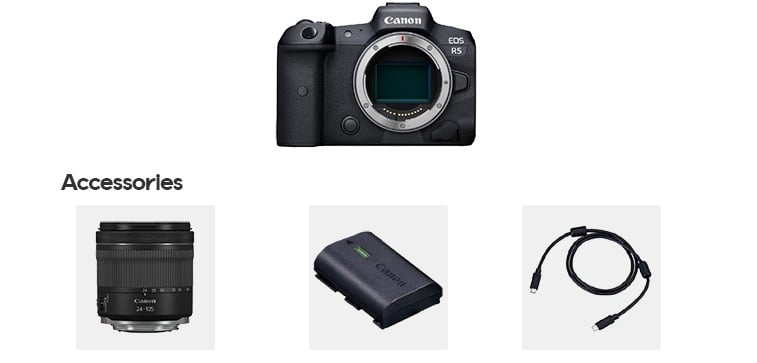
`STYLE_WITH` returns the products that the retailer has specified go well together with the product given in the `productKey` query parameter. Originally designed for fashion, it can help visitors complete a look by pairing a dress with matching shoes and a bag. It can also be used for other assortments, such as pairing a digital camera with compatible electronics accessories like a lens, a battery, and a cable. The related products are specified in the [catalog import](/docs/integration/catalog-imports/format-overview#product) using the `styleWith` attribute; the algorithm is fully curated and does not use behavioral data. The list is not deduplicated against other recommendation lists on the same page, so the curated order is kept. Out-of-stock products are automatically excluded, and product rules can be applied to further refine the recommendations.
 ### Best practices
* Use it on the product details page where the retailer wants full editorial control over the related products.
* Maintain the `styleWith` attribute in the catalog import. Products without the attribute produce an empty list, so hide the list in the frontend when it is empty.
* Combine it with [`UPSELL`](#upsell) if you want a curated list complemented by a data-driven one.
### Example
```bash icon="terminal" theme={null}
curl -X POST \
"https://{cluster-id}.elevate-api.cloud/api/storefront/v3/queries/product-page?market=US&locale=en-US&sessionKey=4b116e34-0a7a-ce5d-5591-75c62f231967&customerKey=4b116e34-0a7a-ce5d-5591-75c62f231967&touchpoint=DESKTOP&productKey=AD_0682_P_290_011" \
-H 'Content-Type: application/json' \
-d @request-body.json
```
```json title="Contents of request-body.json" icon="code" expandable theme={null}
{
"productGroup": {
"include": true
},
"recommendationLists": [
{
"id": "PDP-1",
"algorithm": "STYLE_WITH"
}
]
}
```
```javascript icon="js" theme={null}
const api = elevate({ clusterId: 'w00000000', market: 'US', locale: 'en-US', touchpoint: 'desktop', session: () => userKeys });
const results = await api.query.productPage(
{ productKey: 'AD_0682_P_290_011' },
{
productGroup: { include: true },
recommendationLists: [
{ id: 'PDP-1', algorithm: 'STYLE_WITH' }
]
}
);
```
## Top products
`TOP_PRODUCTS` returns the most popular products right now based on all visitors' interactions, stock level, newness, and the exposure strategy selected for the site. Its ranking is fully affected by boost and bury settings. Its generic ranking and lack of algorithm-specific filtering make it the most versatile recommendation list, suitable for use anywhere on the site in combination with product rules. It is not personalized and is the same for all visitors, which also makes it a good fallback — several other algorithms backfill with Top products when they run out of personalized results.
### Best practices
* Use it on the homepage to highlight popular products.
* Combine it with product rules to create top lists for a department, category, brand, or price range. See [Targeted recommendations](#targeted-recommendations) below.
* Pair it with [`PERSONAL`](#personal) or [`FAVORITES`](#favorites) on the homepage, so there is both a personalized and a general list.
### Example
```bash icon="terminal" theme={null}
curl -X POST \
"https://{cluster-id}.elevate-api.cloud/api/storefront/v3/queries/landing-page?market=US&locale=en-US&sessionKey=4b116e34-0a7a-ce5d-5591-75c62f231967&customerKey=4b116e34-0a7a-ce5d-5591-75c62f231967&touchpoint=DESKTOP&pageReference=/" \
-H 'Content-Type: application/json' \
-d @request-body.json
```
```json title="Contents of request-body.json" icon="code" theme={null}
{
"recommendationLists": [
{
"id": "TOP-1",
"algorithm": "TOP_PRODUCTS"
}
]
}
```
```javascript icon="js" theme={null}
const api = elevate({ clusterId: 'w00000000', market: 'US', locale: 'en-US', touchpoint: 'desktop', session: () => userKeys });
const results = await api.query.landingPage(
{ pageReference: '/' },
{
recommendationLists: [
{ id: 'TOP-1', algorithm: 'TOP_PRODUCTS' }
]
}
);
```
## Upsell
`UPSELL` recommends products related to the product given in the `productKey` query parameter, primarily using behavioral data to prioritize products frequently purchased together. It offers a flexible selection for cross-selling, without the popup-focused price constraints of [`ADD_TO_CART_RECS`](#add-to-cart-recommendations). It is intended to show related and complementary products, but products of the same type as the viewed product may also appear when behavioral data indicates they are purchased together. When there is insufficient behavioral data, the recommendations fall back to general product popularity.
### Best practices
* Use it on the product details page.
* Place it below [`ALTERNATIVES`](#alternatives), so alternatives are primarily shown in that list. Deduplication reduces their presence in the upsell area, leaving more room for complementary products.
* Use it with or without product rules, but narrowing the candidate set risks to hide highly related products.
### Example
```bash icon="terminal" theme={null}
curl -X POST \
"https://{cluster-id}.elevate-api.cloud/api/storefront/v3/queries/product-page?market=US&locale=en-US&sessionKey=4b116e34-0a7a-ce5d-5591-75c62f231967&customerKey=4b116e34-0a7a-ce5d-5591-75c62f231967&touchpoint=DESKTOP&productKey=AD_0682_P_290_011" \
-H 'Content-Type: application/json' \
-d @request-body.json
```
```json title="Contents of request-body.json" icon="code" expandable theme={null}
{
"productGroup": {
"include": true
},
"recommendationLists": [
{
"id": "PDP-1",
"algorithm": "UPSELL"
}
]
}
```
```javascript icon="js" theme={null}
const api = elevate({ clusterId: 'w00000000', market: 'US', locale: 'en-US', touchpoint: 'desktop', session: () => userKeys });
const results = await api.query.productPage(
{ productKey: 'AD_0682_P_290_011' },
{
productGroup: { include: true },
recommendationLists: [
{ id: 'PDP-1', algorithm: 'UPSELL' }
]
}
);
```
## General best practices
### Choose list headings
Choose a heading that explains why products are shown or how they relate to the current product or visitor. Avoid implying compatibility, necessity, human curation, or sales-based popularity unless the products and recommendation logic support that claim.
| **Algorithm** | **Suggested heading** | **Alternatives and guidance** |
| - | - | - |
| [`ADD_TO_CART_RECS`](#add-to-cart-recommendations) | Frequently bought together | "Customers also bought" is also suitable. Avoid "Don't forget" unless the items are genuinely necessary. |
| [`ALTERNATIVES`](#alternatives) | Similar products | "Explore similar products" is another alternative. |
| [`CART`](#cart) | Customers also bought | "Frequently bought with items in your cart" is more specific. Avoid "Complete your order" unless the list is deliberately restricted to necessary or complementary items. |
| [`FAVORITES`](#favorites) | Inspired by your favorites | "More like your favorites" is also suitable. |
| [`MORE_FROM_SERIES`](#more-from-series) | More from the {seriesName} series | Include the actual series name when available; otherwise use "More from this collection". Avoid "Complete the set", since a series can include alternatives. |
| [`NEWEST_PRODUCTS`](#newest-products) | New arrivals | "Just in" suits fashion. For filtered lists, use a scoped title such as "New in women's shoes" or "New arrivals from {brand}". |
| [`PERSONAL`](#personal) | Recommended for you | "Top picks for you" is a more promotional alternative. Avoid "Handpicked for you", which suggests human curation. |
| [`RECENTLY_BOUGHT`](#recently-bought) | Buy again | Use for replenishable products. For durable assortments, use "Your recent purchases". |
| [`RECENTLY_VIEWED`](#recently-viewed) | Recently viewed | "Pick up where you left off" or "Continue browsing" can serve as supporting copy rather than replacing the explicit heading. |
| [`STYLE_WITH`](#style-with) | Assortment-specific (see guidance) | Fashion: "Complete the look". Beauty: "Complete your routine" or "Use it with". Electronics: "Accessories". Only use "Compatible accessories" when compatibility is guaranteed. |
| [`TOP_PRODUCTS`](#top-products) | Popular right now | For filtered lists, use "Popular in {category}". |
| [`UPSELL`](#upsell) | Customers also bought | Or "Related products", to avoid implying that items were bought together in all cases. "Goes well with" is not a safe general heading, since the list can include same-type products and popularity fallbacks. |
These are research-informed starting points, not universally proven winners. Adapt them to your brand and assortment, and test alternatives while keeping the products, placement, and design unchanged.
### Identify visitors
`PERSONAL`, `FAVORITES`, `RECENTLY_VIEWED`, and `RECENTLY_BOUGHT` use the visitor's history to generate recommendations. Use a consistent `customerKey` in queries and notifications to base recommendations on customer data and behavior across sessions and devices, and update them as the visitor interacts with your site. Visitors who are not signed in can also receive recommendations based on their session activity. See [Visitor identification](/docs/integration/site-integration/session-management#visitor-identification) for key management and linking visitors when they sign in.
### Combine recommendations
It is possible to combine two or more recommendations if relevant. For example, `ALTERNATIVES` can be combined with `UPSELL` on a product detail page. The homepage can include `TOP_PRODUCTS` and `PERSONAL` or `FAVORITES`. These combinations can be specified in the request body when sending a `POST` request.
Deduplication follows the order of the lists in the `recommendationLists` array: products in earlier lists are deduplicated from later lists. It is strongly recommended to place lists in the same order as they appear on the page so that the more prominent sections higher on the page take priority. [Soft deduplication](https://help.elevate.voyado.com/hc/en-gb/articles/27609707306908-Soft-deduplication) reduces overlap but allows duplicates when there are no other products to show. `STYLE_WITH`, `NEWEST_PRODUCTS`, `RECENTLY_VIEWED`, and `RECENTLY_BOUGHT` are not deduplicated against other lists, preserving their meaningful order.
Below is an example of a page configuration where the `ALTERNATIVES` and `UPSELL` recommendations are used.
```json icon="code" expandable theme={null}
{
"recommendationLists": [
{
"id": "PDP-1",
"algorithm": "ALTERNATIVES"
},
{
"id": "PDP-2",
"algorithm": "UPSELL"
}
]
}
```
### Targeted recommendations
Apply product rules to have a more focused selection of product recommendations. For example, when using the `TOP_PRODUCTS` or `NEWEST_PRODUCTS` recommendation, the recommendation can be limited to a certain price range or certain categories. [Product rules](/docs/integration/category-page-imports#product-rules) can be specified in the page configuration supplied in the request body or configured in the Elevate application.
You can use [Tweak Recommendations](https://help.elevate.voyado.com/hc/en-gb/articles/27610788445596-Tweak-recommendations) under **Pages** in the Elevate application to adjust recommendations for selected product detail pages when you are not satisfied with the results or need to meet business or branding requirements. It lets merchandisers define which products can appear in supported algorithms. Tweaks apply only to the product-pages and add-to-cart-popup endpoints. Note that overly restrictive filters can reduce recommendation quality and leave lists underfilled or empty.
Below is an example where the `NEWEST_PRODUCTS` recommendation is limited to the Kitchen supplies department/category. This example is relevant to apply for a landing page that highlights new arrivals within a specific category.
```json icon="code" theme={null}
{
"recommendationLists": [{
"id": "rec-1",
"algorithm": "NEWEST_PRODUCTS",
"productRules": "rule incl department {\"Kitchen\"}"
}]
}
```
Below is an example where the `TOP_PRODUCTS` recommendation is limited to products with prices up to 150 in the local currency.
```json icon="code" theme={null}
{
"recommendationLists": [{
"id": "rec-2",
"algorithm": "TOP_PRODUCTS",
"productRules": "rule incl price [0, 150]"
}]
}
```
### Handle empty lists
Always hide recommendation sections when their lists are empty rather than rendering empty carousels. This can happen when there is no visitor history (`RECENTLY_VIEWED`, `RECENTLY_BOUGHT`), a product lacks the required attribute (`MORE_FROM_SERIES`, `STYLE_WITH`), or required `productKey` or `cart` input is missing.
Some algorithms (`TOP_PRODUCTS`, `PERSONAL`, `FAVORITES`, `UPSELL`, `CART`) usually return a full list, but this is not guaranteed and the behavior may change. Even `TOP_PRODUCTS`, which considers the full set of products matching the applicable filters, may return fewer products than requested or none at all. Product rules can restrict the available products, and merchandisers can change those rules in the Elevate application over time.
This documentation is built and hosted on [Mintlify](https://mintlify.com), a developer documentation platform.
### Best practices
* Use it on the product details page where the retailer wants full editorial control over the related products.
* Maintain the `styleWith` attribute in the catalog import. Products without the attribute produce an empty list, so hide the list in the frontend when it is empty.
* Combine it with [`UPSELL`](#upsell) if you want a curated list complemented by a data-driven one.
### Example
```bash icon="terminal" theme={null}
curl -X POST \
"https://{cluster-id}.elevate-api.cloud/api/storefront/v3/queries/product-page?market=US&locale=en-US&sessionKey=4b116e34-0a7a-ce5d-5591-75c62f231967&customerKey=4b116e34-0a7a-ce5d-5591-75c62f231967&touchpoint=DESKTOP&productKey=AD_0682_P_290_011" \
-H 'Content-Type: application/json' \
-d @request-body.json
```
```json title="Contents of request-body.json" icon="code" expandable theme={null}
{
"productGroup": {
"include": true
},
"recommendationLists": [
{
"id": "PDP-1",
"algorithm": "STYLE_WITH"
}
]
}
```
```javascript icon="js" theme={null}
const api = elevate({ clusterId: 'w00000000', market: 'US', locale: 'en-US', touchpoint: 'desktop', session: () => userKeys });
const results = await api.query.productPage(
{ productKey: 'AD_0682_P_290_011' },
{
productGroup: { include: true },
recommendationLists: [
{ id: 'PDP-1', algorithm: 'STYLE_WITH' }
]
}
);
```
## Top products
`TOP_PRODUCTS` returns the most popular products right now based on all visitors' interactions, stock level, newness, and the exposure strategy selected for the site. Its ranking is fully affected by boost and bury settings. Its generic ranking and lack of algorithm-specific filtering make it the most versatile recommendation list, suitable for use anywhere on the site in combination with product rules. It is not personalized and is the same for all visitors, which also makes it a good fallback — several other algorithms backfill with Top products when they run out of personalized results.
### Best practices
* Use it on the homepage to highlight popular products.
* Combine it with product rules to create top lists for a department, category, brand, or price range. See [Targeted recommendations](#targeted-recommendations) below.
* Pair it with [`PERSONAL`](#personal) or [`FAVORITES`](#favorites) on the homepage, so there is both a personalized and a general list.
### Example
```bash icon="terminal" theme={null}
curl -X POST \
"https://{cluster-id}.elevate-api.cloud/api/storefront/v3/queries/landing-page?market=US&locale=en-US&sessionKey=4b116e34-0a7a-ce5d-5591-75c62f231967&customerKey=4b116e34-0a7a-ce5d-5591-75c62f231967&touchpoint=DESKTOP&pageReference=/" \
-H 'Content-Type: application/json' \
-d @request-body.json
```
```json title="Contents of request-body.json" icon="code" theme={null}
{
"recommendationLists": [
{
"id": "TOP-1",
"algorithm": "TOP_PRODUCTS"
}
]
}
```
```javascript icon="js" theme={null}
const api = elevate({ clusterId: 'w00000000', market: 'US', locale: 'en-US', touchpoint: 'desktop', session: () => userKeys });
const results = await api.query.landingPage(
{ pageReference: '/' },
{
recommendationLists: [
{ id: 'TOP-1', algorithm: 'TOP_PRODUCTS' }
]
}
);
```
## Upsell
`UPSELL` recommends products related to the product given in the `productKey` query parameter, primarily using behavioral data to prioritize products frequently purchased together. It offers a flexible selection for cross-selling, without the popup-focused price constraints of [`ADD_TO_CART_RECS`](#add-to-cart-recommendations). It is intended to show related and complementary products, but products of the same type as the viewed product may also appear when behavioral data indicates they are purchased together. When there is insufficient behavioral data, the recommendations fall back to general product popularity.
### Best practices
* Use it on the product details page.
* Place it below [`ALTERNATIVES`](#alternatives), so alternatives are primarily shown in that list. Deduplication reduces their presence in the upsell area, leaving more room for complementary products.
* Use it with or without product rules, but narrowing the candidate set risks to hide highly related products.
### Example
```bash icon="terminal" theme={null}
curl -X POST \
"https://{cluster-id}.elevate-api.cloud/api/storefront/v3/queries/product-page?market=US&locale=en-US&sessionKey=4b116e34-0a7a-ce5d-5591-75c62f231967&customerKey=4b116e34-0a7a-ce5d-5591-75c62f231967&touchpoint=DESKTOP&productKey=AD_0682_P_290_011" \
-H 'Content-Type: application/json' \
-d @request-body.json
```
```json title="Contents of request-body.json" icon="code" expandable theme={null}
{
"productGroup": {
"include": true
},
"recommendationLists": [
{
"id": "PDP-1",
"algorithm": "UPSELL"
}
]
}
```
```javascript icon="js" theme={null}
const api = elevate({ clusterId: 'w00000000', market: 'US', locale: 'en-US', touchpoint: 'desktop', session: () => userKeys });
const results = await api.query.productPage(
{ productKey: 'AD_0682_P_290_011' },
{
productGroup: { include: true },
recommendationLists: [
{ id: 'PDP-1', algorithm: 'UPSELL' }
]
}
);
```
## General best practices
### Choose list headings
Choose a heading that explains why products are shown or how they relate to the current product or visitor. Avoid implying compatibility, necessity, human curation, or sales-based popularity unless the products and recommendation logic support that claim.
| **Algorithm** | **Suggested heading** | **Alternatives and guidance** |
| - | - | - |
| [`ADD_TO_CART_RECS`](#add-to-cart-recommendations) | Frequently bought together | "Customers also bought" is also suitable. Avoid "Don't forget" unless the items are genuinely necessary. |
| [`ALTERNATIVES`](#alternatives) | Similar products | "Explore similar products" is another alternative. |
| [`CART`](#cart) | Customers also bought | "Frequently bought with items in your cart" is more specific. Avoid "Complete your order" unless the list is deliberately restricted to necessary or complementary items. |
| [`FAVORITES`](#favorites) | Inspired by your favorites | "More like your favorites" is also suitable. |
| [`MORE_FROM_SERIES`](#more-from-series) | More from the {seriesName} series | Include the actual series name when available; otherwise use "More from this collection". Avoid "Complete the set", since a series can include alternatives. |
| [`NEWEST_PRODUCTS`](#newest-products) | New arrivals | "Just in" suits fashion. For filtered lists, use a scoped title such as "New in women's shoes" or "New arrivals from {brand}". |
| [`PERSONAL`](#personal) | Recommended for you | "Top picks for you" is a more promotional alternative. Avoid "Handpicked for you", which suggests human curation. |
| [`RECENTLY_BOUGHT`](#recently-bought) | Buy again | Use for replenishable products. For durable assortments, use "Your recent purchases". |
| [`RECENTLY_VIEWED`](#recently-viewed) | Recently viewed | "Pick up where you left off" or "Continue browsing" can serve as supporting copy rather than replacing the explicit heading. |
| [`STYLE_WITH`](#style-with) | Assortment-specific (see guidance) | Fashion: "Complete the look". Beauty: "Complete your routine" or "Use it with". Electronics: "Accessories". Only use "Compatible accessories" when compatibility is guaranteed. |
| [`TOP_PRODUCTS`](#top-products) | Popular right now | For filtered lists, use "Popular in {category}". |
| [`UPSELL`](#upsell) | Customers also bought | Or "Related products", to avoid implying that items were bought together in all cases. "Goes well with" is not a safe general heading, since the list can include same-type products and popularity fallbacks. |
These are research-informed starting points, not universally proven winners. Adapt them to your brand and assortment, and test alternatives while keeping the products, placement, and design unchanged.
### Identify visitors
`PERSONAL`, `FAVORITES`, `RECENTLY_VIEWED`, and `RECENTLY_BOUGHT` use the visitor's history to generate recommendations. Use a consistent `customerKey` in queries and notifications to base recommendations on customer data and behavior across sessions and devices, and update them as the visitor interacts with your site. Visitors who are not signed in can also receive recommendations based on their session activity. See [Visitor identification](/docs/integration/site-integration/session-management#visitor-identification) for key management and linking visitors when they sign in.
### Combine recommendations
It is possible to combine two or more recommendations if relevant. For example, `ALTERNATIVES` can be combined with `UPSELL` on a product detail page. The homepage can include `TOP_PRODUCTS` and `PERSONAL` or `FAVORITES`. These combinations can be specified in the request body when sending a `POST` request.
Deduplication follows the order of the lists in the `recommendationLists` array: products in earlier lists are deduplicated from later lists. It is strongly recommended to place lists in the same order as they appear on the page so that the more prominent sections higher on the page take priority. [Soft deduplication](https://help.elevate.voyado.com/hc/en-gb/articles/27609707306908-Soft-deduplication) reduces overlap but allows duplicates when there are no other products to show. `STYLE_WITH`, `NEWEST_PRODUCTS`, `RECENTLY_VIEWED`, and `RECENTLY_BOUGHT` are not deduplicated against other lists, preserving their meaningful order.
Below is an example of a page configuration where the `ALTERNATIVES` and `UPSELL` recommendations are used.
```json icon="code" expandable theme={null}
{
"recommendationLists": [
{
"id": "PDP-1",
"algorithm": "ALTERNATIVES"
},
{
"id": "PDP-2",
"algorithm": "UPSELL"
}
]
}
```
### Targeted recommendations
Apply product rules to have a more focused selection of product recommendations. For example, when using the `TOP_PRODUCTS` or `NEWEST_PRODUCTS` recommendation, the recommendation can be limited to a certain price range or certain categories. [Product rules](/docs/integration/category-page-imports#product-rules) can be specified in the page configuration supplied in the request body or configured in the Elevate application.
You can use [Tweak Recommendations](https://help.elevate.voyado.com/hc/en-gb/articles/27610788445596-Tweak-recommendations) under **Pages** in the Elevate application to adjust recommendations for selected product detail pages when you are not satisfied with the results or need to meet business or branding requirements. It lets merchandisers define which products can appear in supported algorithms. Tweaks apply only to the product-pages and add-to-cart-popup endpoints. Note that overly restrictive filters can reduce recommendation quality and leave lists underfilled or empty.
Below is an example where the `NEWEST_PRODUCTS` recommendation is limited to the Kitchen supplies department/category. This example is relevant to apply for a landing page that highlights new arrivals within a specific category.
```json icon="code" theme={null}
{
"recommendationLists": [{
"id": "rec-1",
"algorithm": "NEWEST_PRODUCTS",
"productRules": "rule incl department {\"Kitchen\"}"
}]
}
```
Below is an example where the `TOP_PRODUCTS` recommendation is limited to products with prices up to 150 in the local currency.
```json icon="code" theme={null}
{
"recommendationLists": [{
"id": "rec-2",
"algorithm": "TOP_PRODUCTS",
"productRules": "rule incl price [0, 150]"
}]
}
```
### Handle empty lists
Always hide recommendation sections when their lists are empty rather than rendering empty carousels. This can happen when there is no visitor history (`RECENTLY_VIEWED`, `RECENTLY_BOUGHT`), a product lacks the required attribute (`MORE_FROM_SERIES`, `STYLE_WITH`), or required `productKey` or `cart` input is missing.
Some algorithms (`TOP_PRODUCTS`, `PERSONAL`, `FAVORITES`, `UPSELL`, `CART`) usually return a full list, but this is not guaranteed and the behavior may change. Even `TOP_PRODUCTS`, which considers the full set of products matching the applicable filters, may return fewer products than requested or none at all. Product rules can restrict the available products, and merchandisers can change those rules in the Elevate application over time.
This documentation is built and hosted on [Mintlify](https://mintlify.com), a developer documentation platform.